Plate Gate: the garage opens when it reads your plate
A free Home Assistant add-on that uses Frigate's plate reader to open the garage for cars on your list, with the safety rules that stop it opening for an Uber.
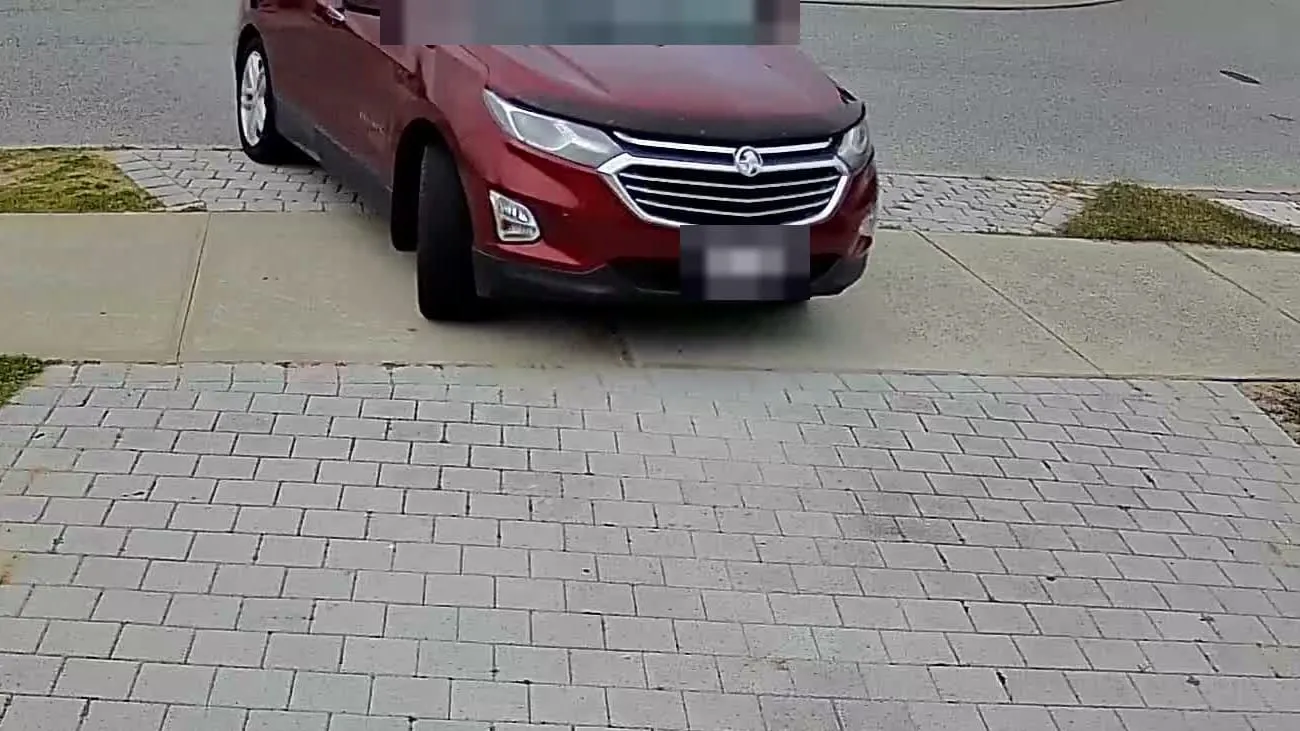
- Difficulty
- Moderate
- Parts cost
- Free software, plus a camera on the driveway
- Build time
- 1–2 hours, then a few days in dry run
- Skills
- Home Assistant, Frigate, HACS
The problem
I wanted the garage open by the time the car reaches it, without anyone fishing for a remote or a phone. Frigate (the camera software I already ran) can read number plates. But getting from “Frigate read a plate” to “the right door opens, once, for the right car” took far more care than I expected. Read the lessons at the bottom before you trust any plate reader with a door.
Plate Gate packages what I learnt into one Home Assistant add-on: you type in the people and plates, pick the door, and it handles the matching, the cooldown and the safety checks.
How it works
The slow part isn’t reading the plate. In the trips I timed closely, the plate was read within 0.4 to 2.8 seconds of the door being told to move. Almost all of the wait is Frigate deciding there’s a car there at all.
What you need
- Home Assistant 2025.1 or newer, with the MQTT integration set up.
- Frigate 0.18, with MQTT on and a camera that already works in Frigate. Plate Gate was built against 0.18. It will warn you about other versions.
- A camera that sees plates as cars arrive and leave. Mine is a 2304×1296 camera mounted above the garage, looking down the driveway. It doesn’t need to be fancy, but it needs to be aimed right (see below).
- A garage door in Home Assistant: a
cover, or aswitchorscriptthat triggers it. - Something to run Frigate on. Mine is a Ryzen 7 mini PC with no Coral.
Getting the camera right first
This matters more than any setting in Plate Gate.
- Detect at the camera’s real resolution. Plates are small, and feeding Frigate a shrunk-down picture throws away the pixels the plate reader needs. This was the single cheapest improvement I made.
- Aim beats models. When plates were missed, it was usually because the plate was cut off at the bottom of the frame as the car pulled close, or the car was side-on. Fix the aim before you try a bigger model.
- Don’t mask the street. Tracking a car as it turns in gives the plate reader a head start.
Installing and setting it up
Plate Gate installs through HACS as a custom repository:
https://github.com/nickthelomas/ha-electrifix-plate-gate
- In Home Assistant open HACS → menu (top right) → Custom repositories.
- Paste that address, choose Integration, select Add.
- Find ElectriFix Plate Gate, select Download, and restart Home Assistant when asked.
- Go to Settings → Devices & services → Add integration and search for ElectriFix Plate Gate.
There are five screens:
| Screen | What you do |
|---|---|
| 1. Connect to Frigate | The address you open Frigate at. If you already have the Frigate integration, it’s filled in for you. |
| 2. Camera | Pick the camera that sees the plates. |
| 3. People and plates | One line per person, like Sam: 1ABC234. Under Near misses, list similar plates you see often (a neighbour’s car, the regular rideshare). Plate Gate shows you they can’t open the door, and you tick to say you’ve read it. |
| 4. What should open | The door, and when: open on arrival, close on leaving, or both. Cooldown, auto-close and an optional zone. |
| 5. Frigate settings | The plate-reader block for Frigate’s config.yml. Paste it yourself or let Plate Gate write it. |
When you finish, Plate Gate is on and in dry run.
The Frigate settings it writes
Frigate’s plate reader often returns plates with spaces and dots in them, and swaps look-alike
characters (O and 0, I and 1, B and 8, S and 5, G and 6, Z and 2). So Plate Gate doesn’t hand Frigate
your plate as plain text. It builds a tolerant pattern. For 1ABC234 that looks like this:
lpr:
  enabled: true
  match_distance: 0   # Plate Gate does the fuzzy matching itself
  known_plates:
    Sam:
      - '[1I][ .·•\-]*A[ .·•\-]*[B8][ .·•\-]*C[ .·•\-]*[2Z][ .·•\-]*3[ .·•\-]*4'
If you let Plate Gate write it, it takes a backup of Frigate’s config.yml first, shows you the exact
change, waits for you to tick a box, restarts Frigate once, and checks the camera comes back. If it
doesn’t within two minutes, it puts the old config back by itself.
Step by step
- Fix the camera aim and detection size (above). Restart Frigate and watch a few cars come in.
- Install Plate Gate and run the five setup screens.
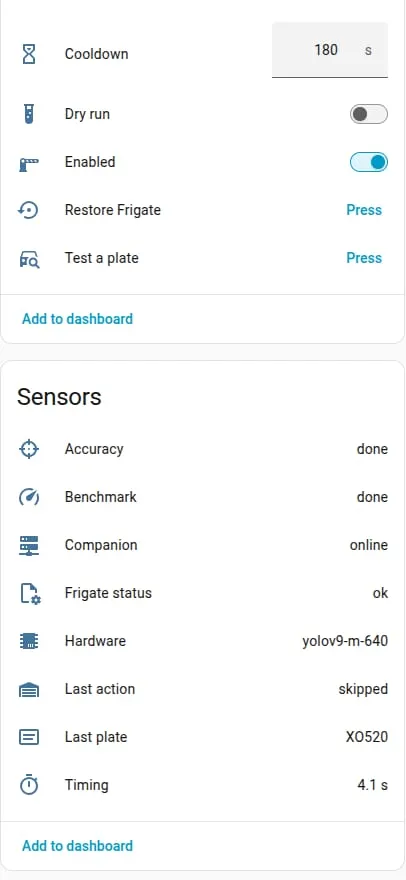
- Add your near misses on screen 3. If you don’t know any yet, come back after a week of dry run: the Last plate sensor shows you what Frigate actually reads.
- Write the Frigate settings (Plate Gate device → Configure).
- Leave it in dry run for a few days. Every car that comes in should show
would_openon the Last action sensor, and every stranger should showskippedwith a reason. - When you trust it, turn Dry run off.
Testing it
- Press Test a plate. It runs the whole chain with a pretend read of your first plate, always in dry
run, so the door never moves. It obeys the same rules as a real read: if the door moved in the last few
minutes, it will honestly say
skipped,cooldown. - Watch the Timing sensor on real arrivals. It splits the wait into car seen → plate read → action → door moving, so you can see which part is slow.
- My numbers, over 37 trips in late September and early October, from Frigate first seeing the car to the door starting to move: arrivals 5.5 seconds typically (most between 3.5 and 8), exits 7.7 seconds typically, with a few long ones when the car sat in view before pulling away. Exits are slower because a car coming out of a garage is close, half-hidden and oddly framed, so it takes Frigate longer to call it a car.
Lessons learnt
The garage opened for an Uber. Frigate’s own fuzzy matching was set to allow two characters of
difference. A rideshare pulled up whose plate read exactly two characters away from my partner’s, and the
garage opened for a stranger in the middle of the afternoon. Two characters sounds tight until you
remember plate readers swap 8 for B and 1 for I all day. That’s why Plate Gate keeps Frigate’s
match_distance at 0, does its own matching against known look-alikes, and makes you list near misses
and look at the verdicts.
The plate was read perfectly, and the door still didn’t move. Frigate read the plate correctly, but returned it with a space and a middle dot in it. My automation compared it as plain text, so the comparison failed. I spent hours on the camera, the model and the Wi-Fi before finding that the bug was a text comparison two layers further down. Two separate safety nets were meant to catch that, and both failed on the same day. Lesson: tidy every read before comparing it, and when something “doesn’t work”, check the whole chain, not just the impressive end of it.
Only half the cars were read at first. Over two weeks, about 50% of the cars that crossed the driveway had their plate read. Most of the misses were plates never seen at all: cut off at the bottom of the frame, or the car side-on. Detecting at full resolution and a better detection model helped. Aim helps most.
The door re-opened after we’d driven off. Frigate kept tracking the car in the street, and every update looked like a fresh arrival. The cooldown (nothing moves within a few minutes of the door last moving, whoever moved it) is what stops that, and it has to survive a restart.
Dry run first, always. Every one of those problems would have been a log line instead of an open garage if I’d started in dry run.