For your business · Jobs on a whiteboard, invoices in a spreadsheet, customers ringing to ask
Every job in one place, and the customer told when it's ready
Job cards, who's waiting on what, invoices with GST, a text when the job's ready, and parts sold over the counter without a job.
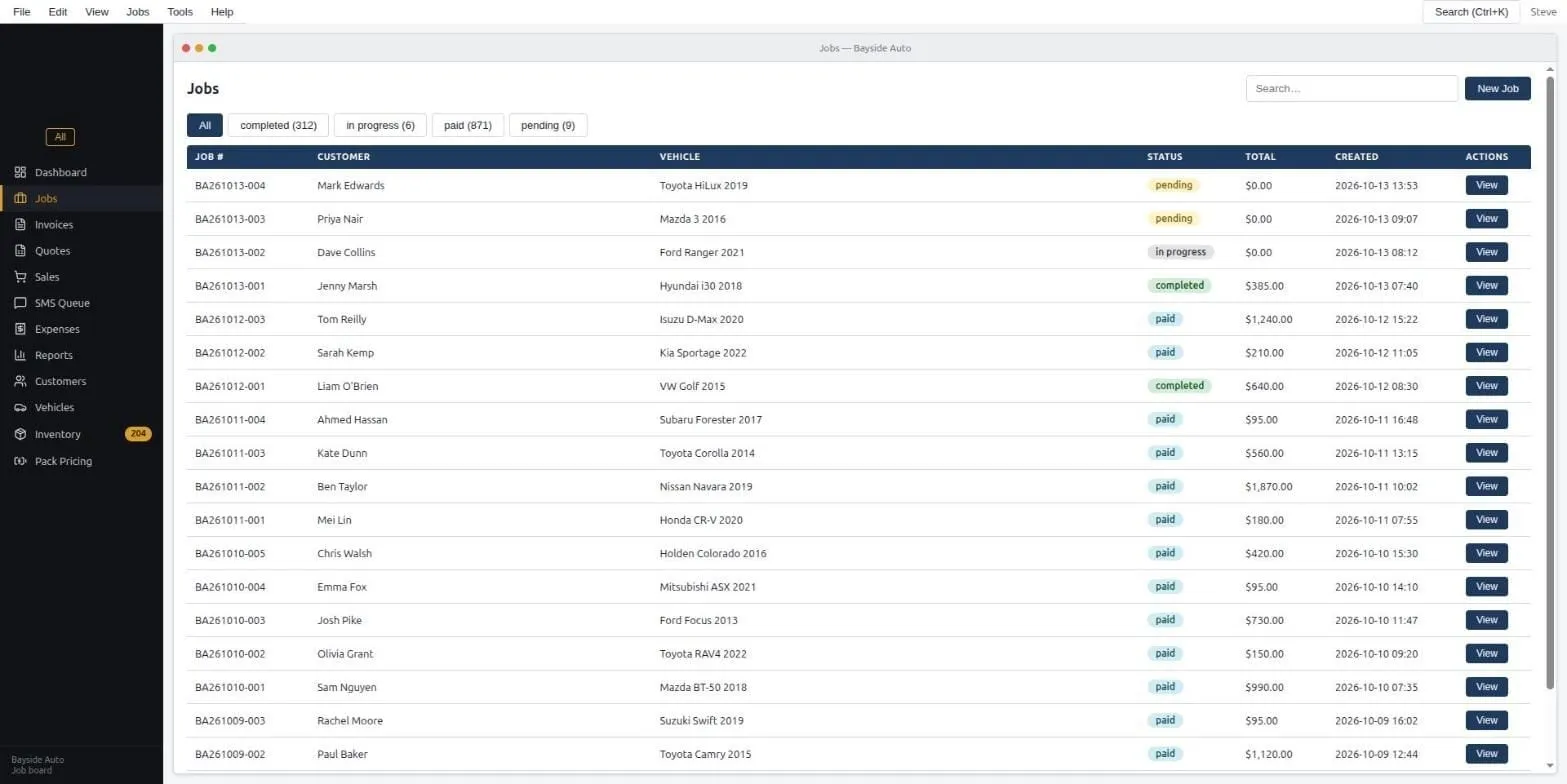
The chore
A whiteboard of jobs, a drawer of paper, a spreadsheet for invoices, and a phone that rings with “is it ready yet”. Nobody can say at a glance what’s waiting on a part, what’s finished, or who hasn’t paid.
What runs now
One screen. Every job has a card: who, what, what’s been done, what it cost, whether it’s paid. Filters along the top show you what’s pending, in progress, done, or owing. A job can start from the phone system, the counter kiosk, or by hand.
When a job is marked finished, the customer gets a text saying it’s ready. Invoices come out with GST done, and a deposit or a part-payment is recorded against the job, not in your head. Parts sold over the counter, with no job attached, go through the same till and come off the same stock list.
- Hi Mark, your HiLux is ready to pick up. We're open till 5 today and from 7:30 tomorrow. Total is $385. See you soon.
What changed
“Is it ready yet” calls mostly stopped. The end-of-month invoicing stopped being a weekend. Money owed is a filter, not a memory. And when a customer argues a bill six months later, the card is still there with every line on it.
What it took
A computer at the counter and an afternoon to set up your parts list and the look of your invoice. Your old jobs can be brought across from a spreadsheet if you’ve got one.
Want to see how it's built? The full write-up is in the builds:read the guide.