Music billboard: true facts about the song that's playing
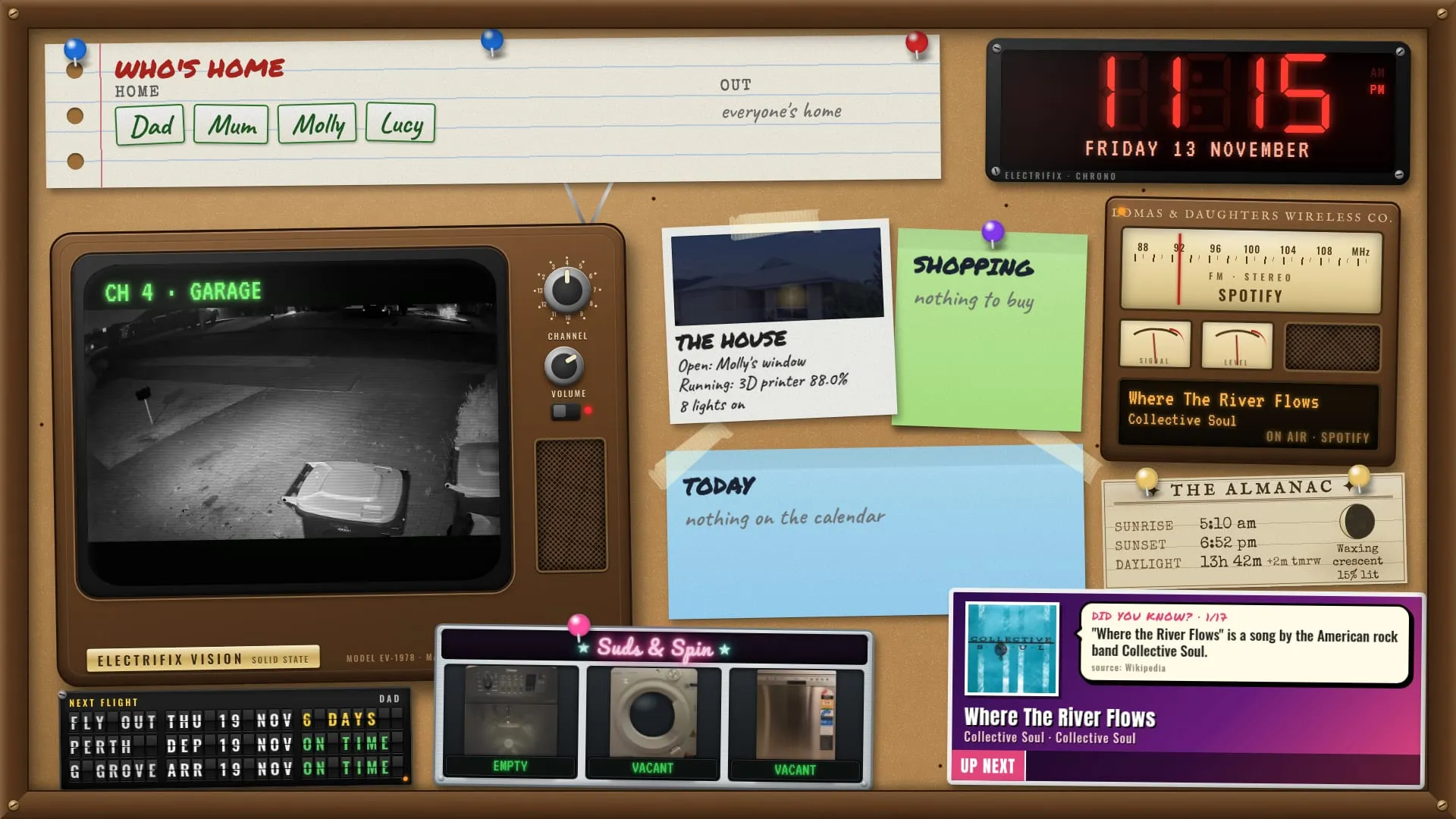
While music plays, the cork board's weather card shows the album cover, true facts about the song and band, and what's next. Every fact is checked.
- Difficulty
- Advanced
- Parts cost
- Free software, plus a few cents a month of AI (capped at US$5)
- Build time
- One evening, idea to live
- Skills
- Home Assistant, Music Assistant, Python, JavaScript
The problem
The cork board in our lounge already showed what the radio was playing: a title and an artist on a little retro radio dial. That’s it. You’d hear a song, half-remember something about the band, and that was the end of it.
The idea came from the person who uses the lounge most: while a song is playing, turn the weather card into a music billboard. Show what’s next, and show facts about the song and the band, as many as it can find, cycling for as long as the song plays. Song facts first, then the band.
One rule mattered more than everything else: nothing made up. If the board says a song went to number one, someone is going to repeat it. A language model asked “tell me something about this song” will happily invent a chart position. So every fact has to be looked up, and checked.
How it works
There are two music sources in the lounge. Spotify plays through Music Assistant to the voice speaker. The radio station is a stream with its own now-playing feed. The board’s small server already asked “what’s playing?” every 5 seconds. Now it also hands the song to a background worker. The board itself only ever reads a database, so a slow website can never slow the board down.
The first time the worker sees a song, it does this:
- Finds the song’s Wikipedia page, and only accepts it if it credits the right artist. The page’s info box has to name one of the credited artists exactly. A song with the same name by another band, or an article about glycerine the chemical, gives no song facts at all. No facts is better than the wrong song’s facts.
- Finds the band’s page. It uses the link in the song’s info box, or a search hit with a musical-artist info box whose name matches. If two acts share the name, it gives up rather than guess.
- Has an AI model trim the article into short facts. The prompt tells it to use only the text it was given, and to copy, word for word, the sentence each fact came from.
- Checks every fact twice. The quoted sentence must appear in the article word for word (checked in code, not by the AI). Then a second AI pass is shown that whole sentence and the fact, and must answer exactly “yes”. Anything else, including an error, and the fact is dropped.
- Saves it all. The song, its facts with their source sentences, and the band’s facts (stored once and shared by all their songs) go into a small database. The radio station repeats its playlist a lot, so most songs come straight from the database after the first week.
It also looks ahead. Music Assistant knows the next song in the Spotify queue, so that one is looked up while the current one plays, and its facts are ready the moment it starts.
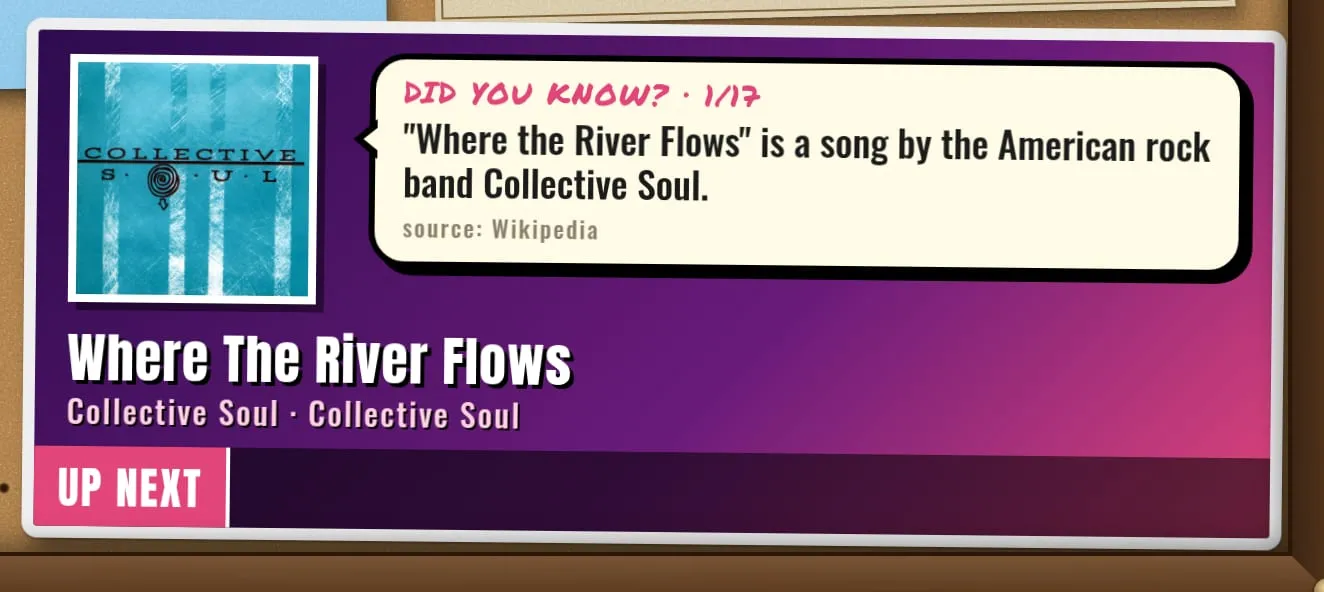
What’s on the card
- The album cover, from Music Assistant for Spotify, or the station’s artwork for the radio. If there’s none, the station’s name.
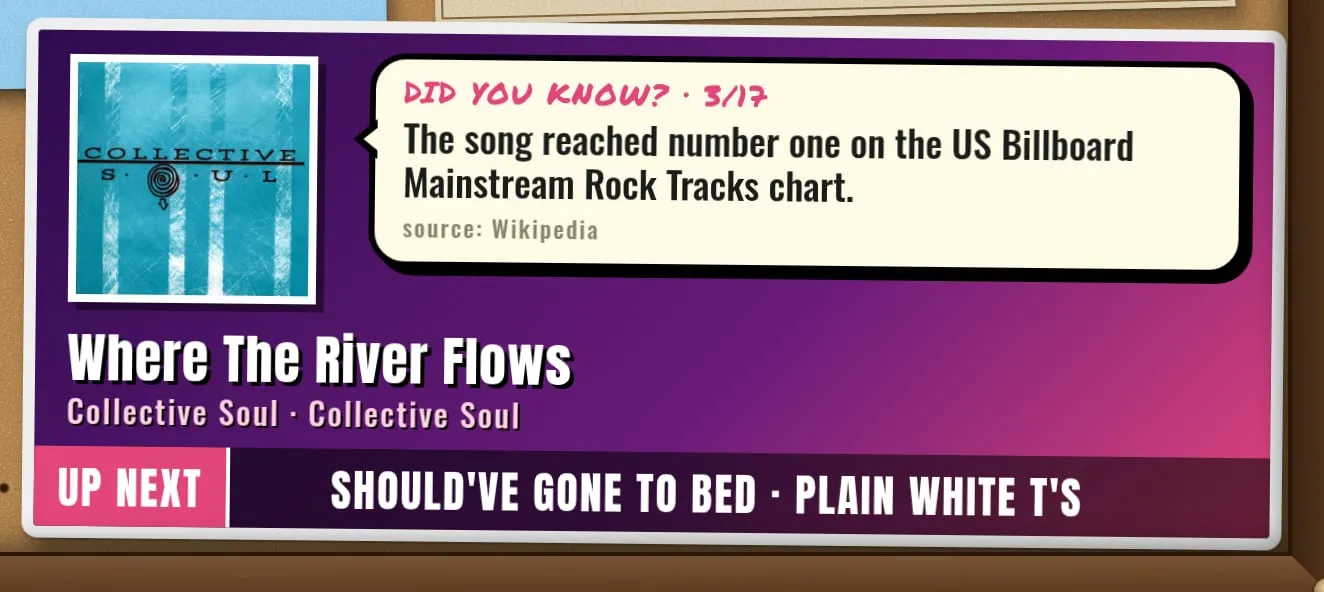
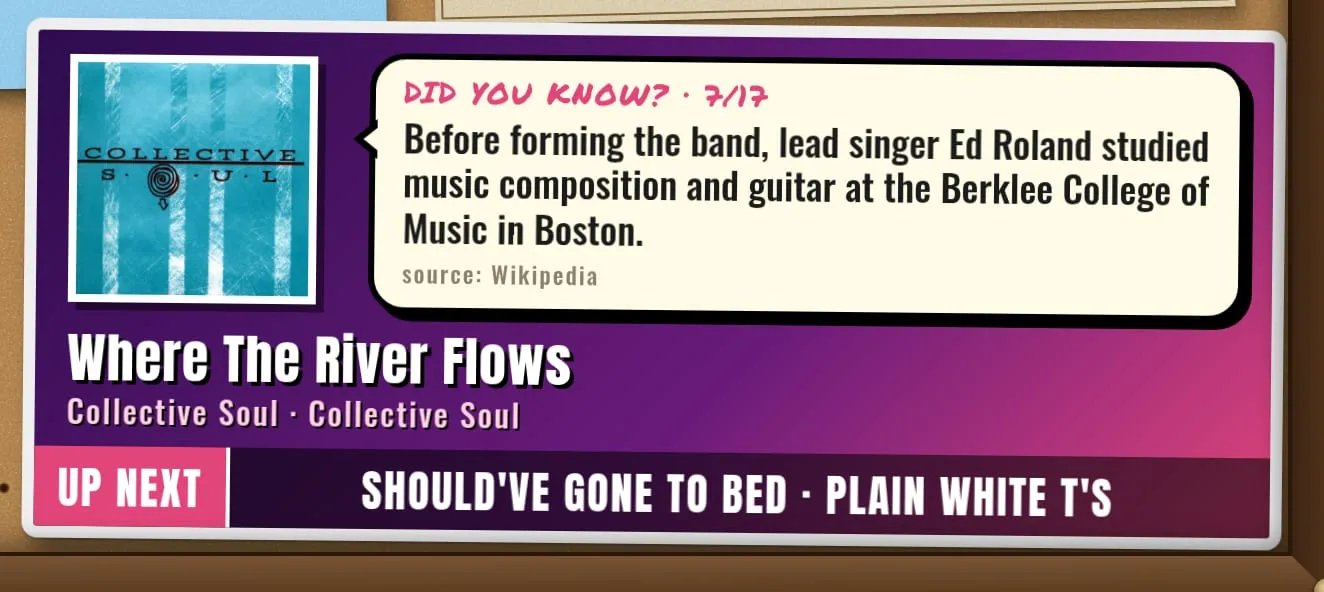
- A comic speech bubble with one fact at a time, “DID YOU KNOW? · 3/17” and the source. Each fact stays up for about 11 seconds, a little longer for long ones. Song facts first, then the band, then round again. There’s no limit: if it found 30, it cycles all 30.
- The title, artist and album underneath.
- UP NEXT scrolling along the bottom for Spotify. The radio station doesn’t publish what’s next, so for the radio it shows JUST PLAYED instead.
- When the music stops, the weather comes back about 20 seconds later. Not straight away, so it doesn’t flick back between songs.
What you need
- A Home Assistant screen of some kind. Ours is the cork board, a web page served by a small Python server, but the idea works for any dashboard you can program.
- Music Assistant with Spotify, if you want Spotify (and UP NEXT).
- An OpenRouter key for the AI step. I made a separate key just for this, with a US$5 a month limit so it can’t run away. It uses a small, cheap model (Claude Haiku), and a new song costs a fraction of a cent. Songs it already knows cost nothing.
The check that keeps it honest
This is the part worth copying, whatever your screen looks like. The AI’s answer is never trusted on its own:
def verbatim(quote, text):
    """The quoted sentence must really be in the article (quotes, dashes and spacing normalised)."""
    q = flat(quote).strip(' ."')
    return len(q) >= 20 and q in flat(text)

for item in facts_from_the_ai:
    fact, quote = item["fact"], item["quote"]
    if len(fact) > 160 or not verbatim(quote, article):
        continue                                   # not in the article: dropped
    sentence = whole_sentence(quote, article)       # the judge sees the FULL sentence, so a dropped "not" is caught
    if judge(sentence, fact) != "yes":              # a second call: "is every part of the claim in this text?"
        continue
    keep(fact, source="Wikipedia", url=page_url, quote=quote)
Every fact is saved with the sentence it came from and the page’s address, so a wrong one is easy to trace and delete.
Asking for any song by voice
The same evening, the voice assistant learned to play anything on Spotify: “play music from any artist on Spotify”, or “play song by artist”. Both phrases go to one Home Assistant script. It searches Music Assistant and only plays a song credited to the artist you asked for. Then it starts the music in the background, so the assistant answers in a second or two instead of waiting for the music to load.
# custom_sentences/en/music.yaml
language: "en"
intents:
  PlayArtist:
    data:
      - sentences:
          - "(play|put on) [some] [music|songs] (from|by) {artist} [on spotify]"
          - "(play|put on) {artist} on spotify"
  PlaySong:
    data:
      - sentences:
          - "(play|put on) {song} by {artist} [on spotify]"
lists:
  artist:
    wildcard: true
  song:
    wildcard: true
The first version only knew artists. “Play Glycerine by Bush on Spotify” searched for a band called “Glycerine by Bush”, found Silverchair, and played Surfin’ Bird. Now “X by Y” is split at the last “by”, so “Stand By Me by Ben E. King” works too.
Testing it
- No music needed for the look. A test switch in the board’s address (
?fakem=1) plays a scripted sequence: a song with three facts, a track change to a song still being looked up, then a stop. That way the layout, the 20-second hold and the longest allowed fact can all be checked without waking the house. - Automated tests cover the matching (noisy titles like “Glycerine - Remastered 2017” hit the same song), the two checks, the retries and the card’s timing. There are about 65 new ones.
- A second reviewer. Before it went live, a fresh AI reviewer read the whole change. It found real problems,
all fixed first:
- “Simon & Garfunkel” was being cut down to “Simon”, which could have shown another act’s facts.
- A brief outage while checking facts would have saved the song as “nothing found” for a week.
- The judge only saw part of a sentence, so a missing “not” could slip through.
Lessons learnt
Make the AI quote its source, then check the quote yourself. “Use only this text” in a prompt is a request, not a guarantee. A plain string check (is this sentence really in the article?) is what makes it safe. Showing the second check the whole sentence matters too: a fragment can lose the “not”.
A wrong match is as bad as a made-up fact. True facts about the wrong song are still wrong on the board. So the match is strict (the info box must credit the artist), and the answer to “not sure” is no song facts.
Expect the free services to have a bad day. On the night it was built, MusicBrainz was refusing everyone, the Wikidata query service was in an outage, and Wikipedia started saying “slow down” after about eight quick requests. So it uses Wikipedia alone, at one request every 1.5 seconds, and a failure is retried later. It’s never saved as “nothing found”.
Watch it live after it passes its tests. Two bugs only showed up on the real board. A long article made the AI’s answer run past its length limit, and the cut-off reply read as “no facts”. And the board reporting the song every 5 seconds was putting it back in the queue while it was still being looked up, so songs were looked up twice.
Facts have to stand on their own. “It was the fifth and final single released from that album” is true, but on its own nobody knows which album. The prompt now asks for facts that make sense without the rest of the article.
How the work got done
The idea and the look were the household’s: three mock-ups, and the “music TV pop-up” one won. Claude Code (Anthropic’s coding agent) wrote the design, the code and the tests, ran the build, and deployed it to the board. It went from “wouldn’t it be cool if…” to live in one evening.
Questions and comments
Loading comments…